Limbo Pro
See ChatGPT and Claude trip imports, route, Maps, offline, attachment, Gmail booking inbox, live flight alerts, and ad-free benefits included with Limbo Pro.
Limbo's core group-trip features are free for everyone. You can create and join trips, invite your crew, add plans, vote, chat, use Preflight and Checklist, track expenses, and confirm trips without buying anything.
Limbo Pro is optional. It is an annual subscription that adds trip tools for compatible ChatGPT and Claude accounts, Smart Route, Maps handoff, cached and downloaded offline access, attachments, the Automatic Gmail booking inbox, and live flight alerts where available, while removing display ads. It does not grant trip-writing rights or change a crew member's role.
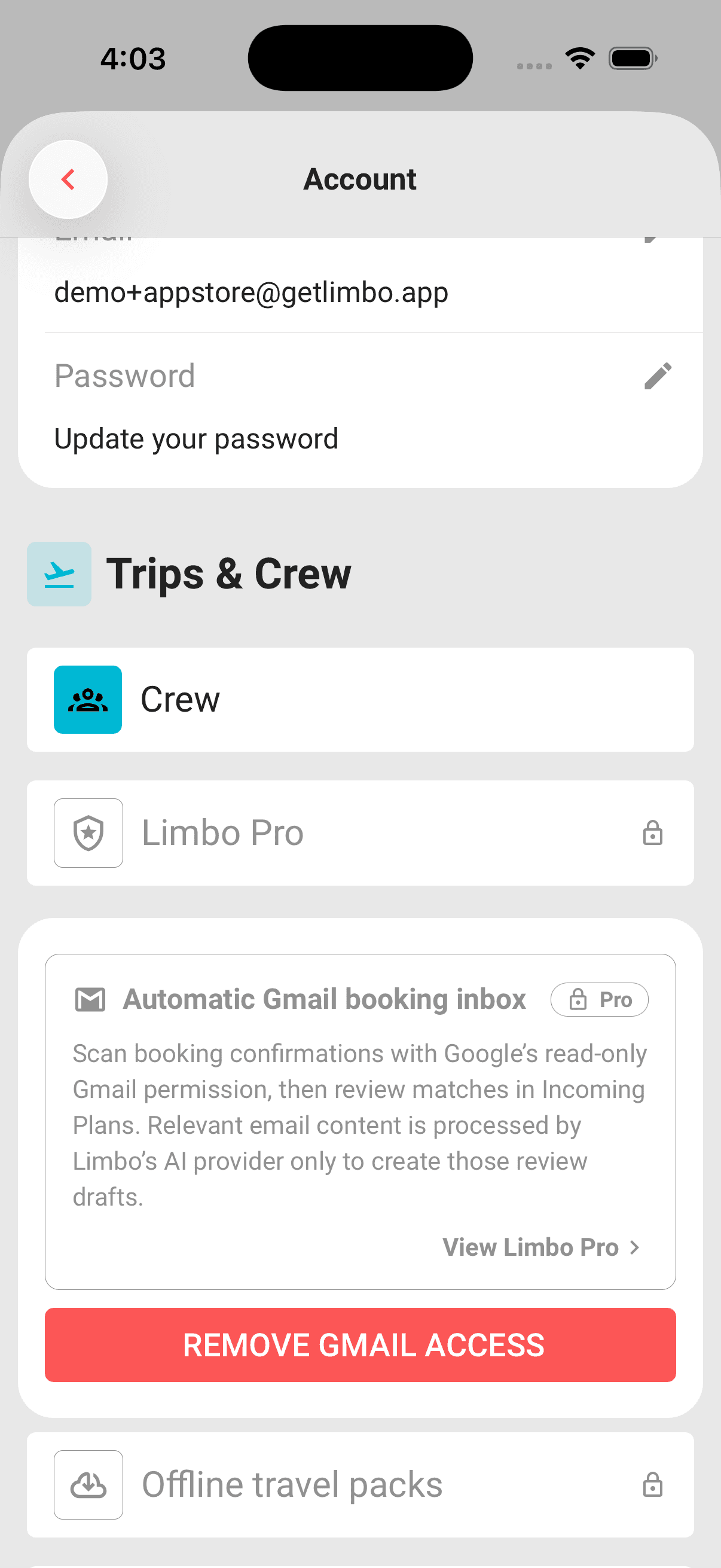
The Pro screen reflects the capabilities enabled by Limbo's server controls for the current build and account. An enabled Pro tool is shown in the purchase list; a disabled tool is hidden instead of being advertised as available. Elsewhere in Limbo, enabled Pro tools remain visible in grey with a lock for a free account; tapping one opens the Pro offer. The free planning and collaboration features below remain available either way.
What stays free
- Create, edit, confirm, archive, reactivate, and reopen trips.
- Invite your crew and manage organizer or edit permissions.
- Add plans, run sealed ballots, vote, and use trip chat.
- Use Preflight, Checklist, Expenses, and Balances.
- Use the light, dark, or system theme.
Existing Trip Pass balances and older confirmation records remain on your account for history, but new trip confirmations do not require or spend a pass.
Pro tools and availability
Limbo 2.5.00 includes these Pro capabilities when they are available for the current build and account. A disabled tool is hidden:
-
ChatGPT and Claude trip tools: read trips, plans, crew, and pending votes; add approved plans to a named trip; cast your own votes; or preview and save a new itinerary. Active Limbo Pro is required for all connector tools. Your chat provider's plan and workspace permissions apply separately. See Use Limbo with ChatGPT or Claude for the connector URL and setup.
-
Smart Route: preview a better Driving or Walking order for one itinerary day, choose automatic or fixed endpoints, or let Shortest path compare complete Driving, Walking, and Public transport results before you apply anything.
-
Open in Maps: hand the current saved day order to Apple Maps on iOS 18.4 or later, or to Google Maps on any supported device. This is separate from Smart Route and never reorders the trip.
-
Offline trip access: open cached trip content and create offline changes while recently verified Pro access remains active.
-
Offline travel packs: explicitly download an encrypted copy of trip details, plans, current Checklist tasks and saved trip and plan attachments. You can resume, refresh, or remove a pack; Google Maps tiles are not included.
-
Attachment storage: upload and open PDF, JPEG, PNG, and HEIC files. Existing files are not deleted if Pro ends, and authorized deletion remains available.
-
Automatic Gmail booking inbox: connect a Google account you own and let Limbo look for booking confirmations with Google's read-only Gmail permission. Matches wait in Incoming Plans for your review; nothing is added to a trip automatically.
-
Live flight alerts: editors can enable schedule, delay, gate, landing, and baggage updates for looked-up flights. Manual refresh stays free. See Flights for setup, retry, and turning alerts off.
When Open in Maps is visible, tap its bottom Open with Maps action. On iOS 18.4 or later, choose Apple Maps or Google Maps from the drawer. Older iOS versions offer Google Maps only, and Android opens Google Maps directly. Apple Maps may offer Walk, Bike, and Transit as continuous legs, while Google Maps may split a longer day into numbered legs so it keeps every stop. Plans timeline and trip map explains both route tools.
Downloading or refreshing an offline travel pack needs a connection and a fresh Pro check. A downloaded pack opens offline only until the earlier of subscription expiry and 72 hours after Limbo last verifies access online. Signing out or switching accounts removes its device key and downloaded files. Working offline explains cached content, packs, preparation, and recovery.
Attach tickets and documents explains file types, exact storage limits, privacy, deletion rules, and which files a ready travel pack can open offline.
The Gmail inbox connects through Google sign-in and asks only for Google's read-only Gmail permission, the gmail.readonly scope. The account you connect does not have to match your Limbo sign-in address. Limbo shows the connected address masked with a Last scan time, scans once as soon as you connect, and checks for new bookings in the background while your connection and Pro access remain active. Use Scan now whenever you want to check sooner. Disconnect deletes Limbo's stored credential and scan receipts and asks Google to revoke access, while plans already filed into trips stay put. Open it from the Automatic Gmail booking inbox card on Account, or from the cog on the Incoming Plans sheet, which opens the Email import screen. Automatic Gmail booking inbox walks through the whole thing. Forwarding confirmations to addthis@getlimbo.app stays free for everyone.
What Pro removes
Pro removes Limbo-controlled display ads. For free accounts, ads begin only after the account has created or joined at least one trip. The current configuration may use compact, clearly labelled Sponsored cards on Home, in Travel guides, below the Trip Overview quick actions, and at the top of the trip's Plans view. Google native ads are turned off in public iOS and Android releases; any Sponsored card in those builds is a directly managed Limbo campaign. Limbo does not place ads inside Preflight, voting, chat, Checklist, Expenses, or over the trip map.
Public releases do not request Google ad inventory.
User-requested booking tools such as Compare rates or Check availability can still appear for Pro members. They are trip utilities rather than feed ads, and each one carries a partner disclosure because Limbo may earn a commission if you book.
Subscribe annually
Limbo Pro's base price is US$29.99 per year. Limbo always shows the localized annual price your store returns for your storefront, so the amount you are charged can differ. On the Australian storefront, for example, the App Store currently returns A$49.99 per year. Check the price on the Pro screen before you buy; that is the one that applies to you.
- 1Tap the grey locked Pro badge (or green PRO when active) in the top bar, or open Account and tap Limbo Pro.
- 2Review the annual price shown for your store account.
- 3Tap the annual purchase button, which shows your price per year, and confirm with the App Store or Google Play.
Pro renews annually unless you cancel through your store account at least 24 hours before renewal. Cancelling keeps Limbo ad-free until the period you already paid for ends.
Pro in your browser
Sign in to the same Limbo account to use your existing Pro access on mobile and web. When browser checkout is available, the Pro screen shows its annual price; the currency is shown beside the price. Checkout may show your local currency, so review the final price and renewal terms there. Browser purchases are managed through their billing portal rather than your Apple or Google account.
On the browser Pro screen, Refresh access checks the subscription linked to your Limbo account. It does not make a purchase or charge you again. If access cannot be confirmed, check your connection and that you are using the same Limbo account as before, then try again.
Manage subscription opens the billing portal or store settings for your purchase when a management link is available. If web checkout is unavailable, your existing Pro access and free trip-planning features are unaffected.
Existing monthly or promotional access
Limbo no longer offers a new monthly plan. If you already have active monthly access or earned promotional time, Limbo stays ad-free until that existing period expires. You do not lose time you already received.
If Limbo has granted you temporary Pro access, use Refresh access on the browser Pro screen to pick it up. A promotional grant does not make a purchase or start an auto-renewing subscription, and it ends at its stated expiry.
Restore or manage Pro
Use Restore on the Pro screen after reinstalling Limbo or changing phones. Restoration uses the Apple or Google account that bought the subscription and never charges you a second time.
Use Manage subscription to open your store's subscription settings. Deleting your Limbo account does not cancel a store subscription, so cancel it in the store first if you no longer want it to renew.
If the Pro screen says App Store temporarily unavailable or its purchase button says Limbo Pro unavailable, the annual product is not available to that device, build, or store account yet. Every core group-trip feature remains available for free.
Note
When Pro ends, sponsored cards may return and enabled Pro-only offline, route, and attachment actions become unavailable. Gmail scanning also stops, and the card offers Remove Gmail access so you can revoke the connection. Your trips and core collaboration data are not deleted; authorized online editing remains available.
Halloween 2026 offer
From 1–31 October 2026 (Pacific time), eligible new and expired subscribers can claim a first-year annual Pro discount in the mobile app. Open Profile → Limbo Pro and choose the Halloween offer. iPhone uses Apple's offer-code redemption flow; Android uses the in-app offer with no code to type. This offer is not available through web checkout.
Review the first-year and regular renewal prices in your store before confirming. Active Pro access is excluded, including a cancelled plan whose paid period has not ended. If you have paid but Pro has not appeared, do not buy again; try Restore with the same account or contact support.
See the Halloween offer and full terms. The discount ends at 11:59 pm Pacific on 31 October 2026.
Related articles
Use Limbo with ChatGPT or Claude
Connect Limbo, then search and copy example prompts for trips, plans, tasks, votes, expenses, bookings, chat and interactive cards.
Create a trip
Every field on the new-trip form, name, destination, dates, timezone, currency, plus what the voting toggle really does.
Plans timeline and trip map
Use the Plans timeline and trip map, build a day's Driving, Walking, or Shortest path order with Smart Route, or open the saved route in Apple Maps or Google Maps.
Working offline
Use Limbo Pro trip content in airplane mode, understand how maps behave without a connection, and see how queued changes sync after reconnecting.
Attach tickets and documents
Use Limbo Pro to keep tickets, confirmations, and documents on a trip or plan, and download them in an encrypted offline travel pack.
Automatic Gmail booking inbox
Connect a Google account with Limbo Pro so booking confirmations are found for you, review every match in Incoming Plans, and disconnect whenever you like.
Flights
Look up a flight by number, book multi-leg routes, enter complete journey details, refresh saved flight information for free, or enable live alerts with Pro.
The Home screen explained
A tour of Home: the decisions inbox, trip cards with Preflight progress and chat, plans waiting for review, notifications, and the buttons that start everything.