Pitch In and Settle Up
Two new ways to keep group trips moving: divvy up the planning with your crew, and settle the money without the spreadsheet.
In Limbo 1.9.44
Two big additions this release, both about sharing the load: the planning, and the money.
Pitch In: divvy up the planning
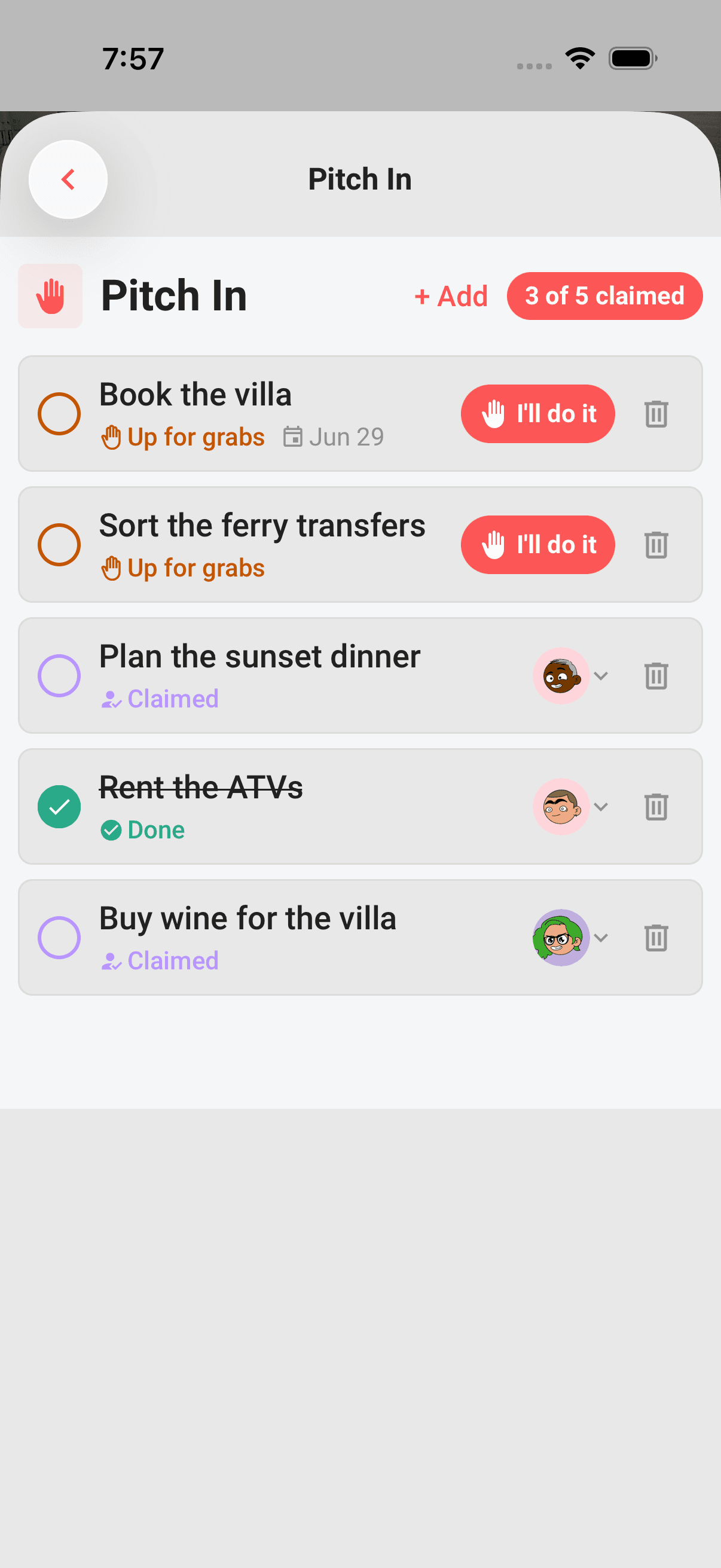
Trip planning shouldn't fall on one person. Pitch In turns the big jobs into a shared list (book the stay, rent the car, plan dinner) and lets the crew claim what they'll handle.
- Claim with a tap. An open task shows an "I'll do it" button; tap it and it's yours.
- See who's on what. Every task shows its owner and a progress pill ("3 of 5 claimed"), so nothing slips through the cracks.
- Hand it off anytime. Tap a task's owner to reassign it, or send it back to up-for-grabs.
- Works offline. Add, claim, and tick tasks off with no signal; it all syncs when you're back online.
Settle Up: square the money without the spreadsheet
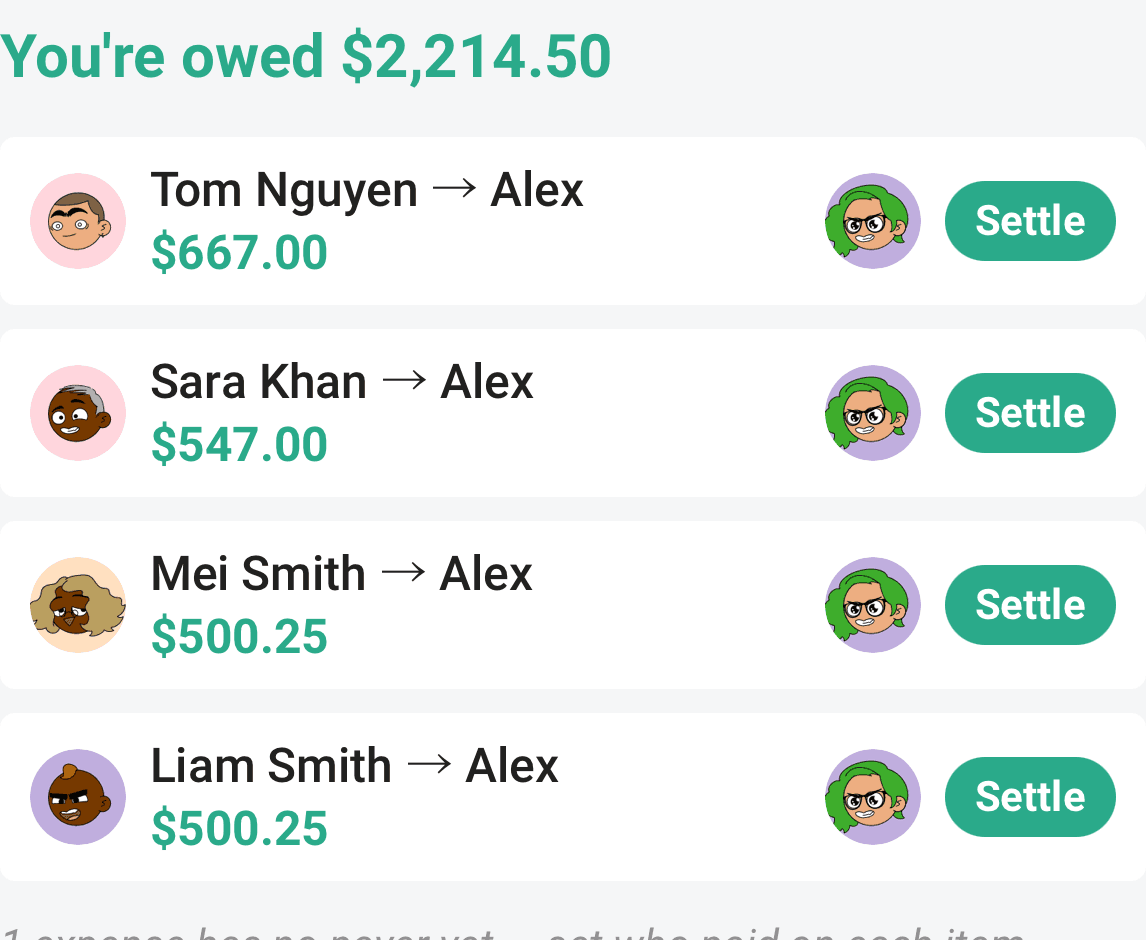
Track who paid for what across the whole trip, and Settle Up works out exactly who owes whom, no group-chat math, no shared spreadsheet.
- Who owes whom, solved. Limbo nets everything down to the simplest set of paybacks.
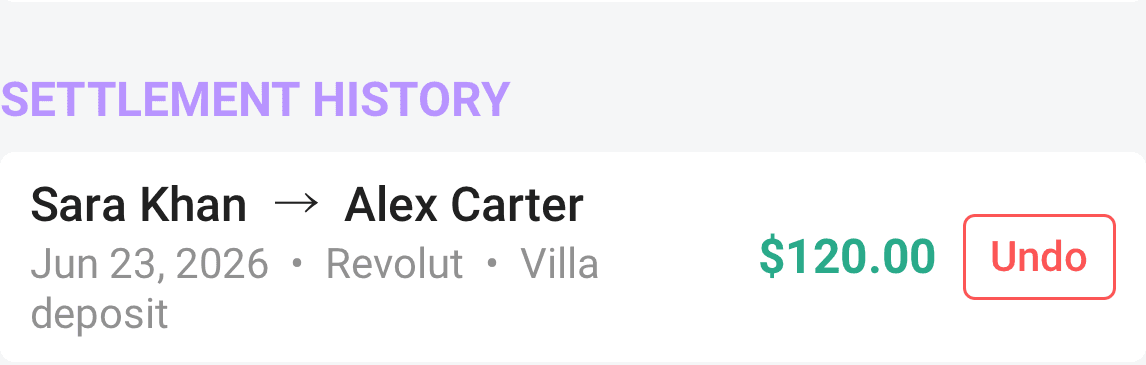
- Record a payback. Mark a debt as settled with an optional method and note; it lands in a clear history you can undo.
- Just the receipts. Limbo never moves your money; it only keeps track of who paid and who's squared up.
Also in this update
- A smoother offline experience across plans, tasks, voting, and checklists; everything syncs the moment you're back online.
- Plenty of polish and fixes throughout.
Learn more
Divvy up the work
Checklist is your trip's shared to-do list, add the big jobs, sort them into groups or start from a template, and watch every task move from up-for-grabs to done.
Claim, assign, and reassign
Every crew member can grab an open task with "I'll do it"; editors can assign, reassign, or put work back up for grabs.
Understand who owes whom
Use Balances to see your position, a simplified repayment list, every person's net balance, and recorded settlements.
Record who paid
Set Paid by on a costed plan so Expenses shows the payment and Balances can calculate repayments.
Record and undo a settlement
Record a repayment from Balances, add an optional method and note, and undo a mistaken entry from settlement history.