What's new in Limbo 1.9.3
A big round of crew, voting, flight, and budget improvements, plus a smoother, faster app.
In Limbo 1.9.3
Lots landed in 1.9.3. Here's what you'll notice.
Crew & invites
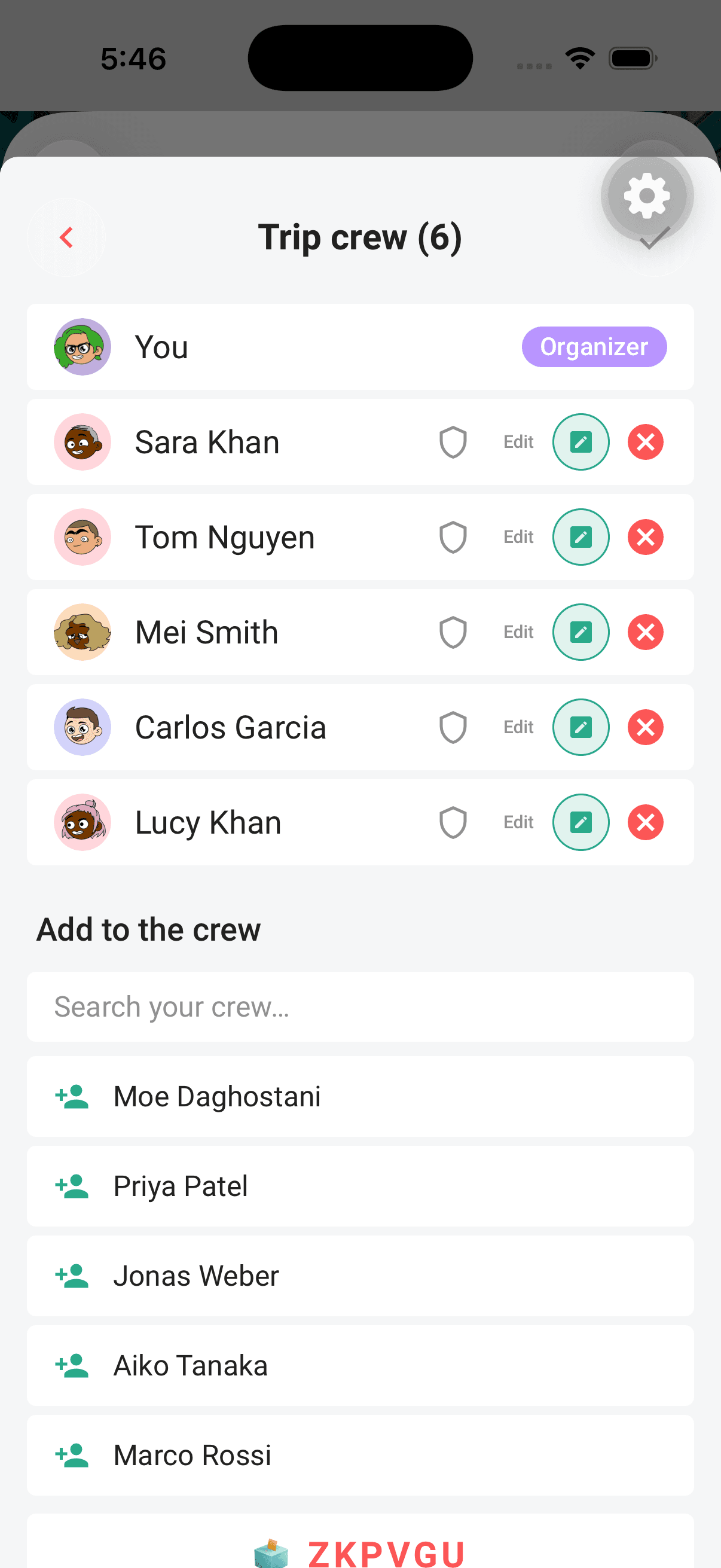
- Your people are now your "crew." We renamed companions to crew throughout the app, clearer language for the folks you travel with.
- Redesigned crew sheet. Search and add crew, set per-person cost splits, and see everyone's avatar. Granting edit access is now a subtle checkbox with a quick confirmation when you tick it; organizers stay checked and locked.
- Everyone shows up correctly. Crew members, including people who joined by invite link, now appear with their real name and photo (previously some showed as a generic "Crew member"), in the crew sheet and in trip chat.
- Invite by link, simplified. The owner sees the active join-code chip and re-sharing reuses the same code, so links you already sent keep working.
- Fair splits, instantly. Removing someone from a trip redistributes their share of the cost split right away.
Voting & decisions
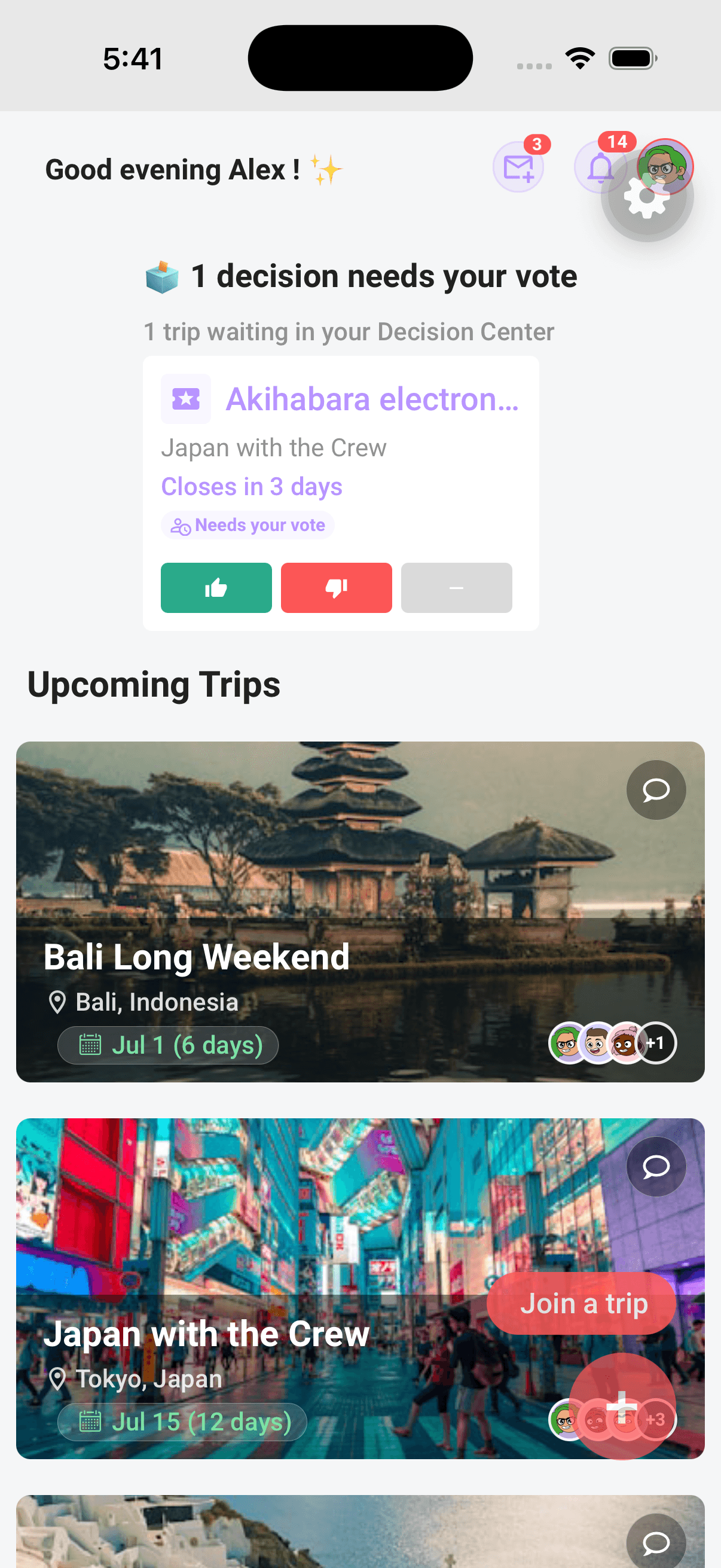
- A tidier Decisions inbox. Closed ballots drop off automatically, cards no longer stretch oddly, and a ballot clears the moment you vote.
- Live updates. Trip and voting screens refresh on their own as votes come in, with a clearer voting-dashboard header.
Flights
- Book the whole route from a flight plan, with smarter flight lookup that fills details however you enter them.
- Per-passenger details. Edit each passenger individually; the redundant standalone Seat field is gone.
Budget
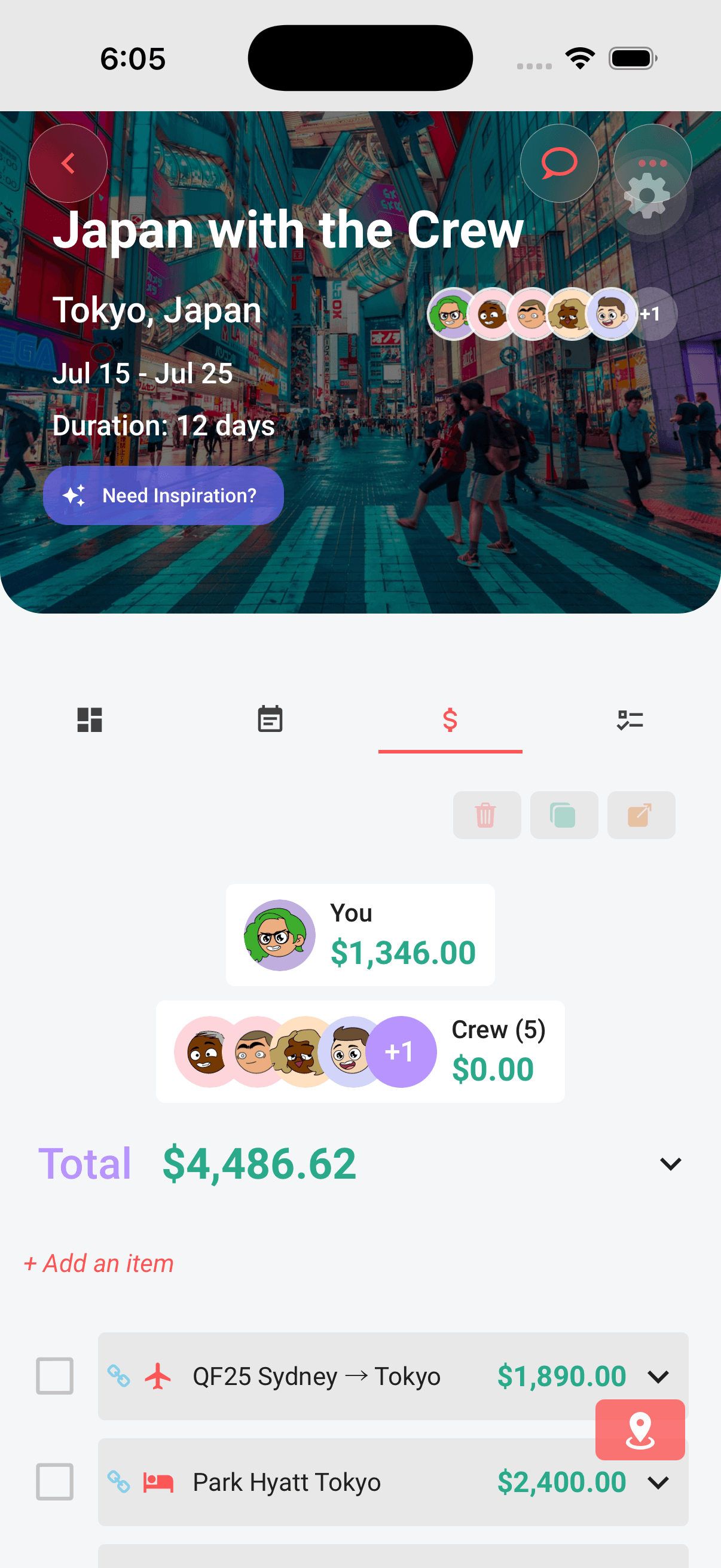
- Fixed budget screens that could overflow or stretch into tall strips, so totals and per-person splits stay tidy.
A smoother, faster app
- Reliable trip screen. Opening trips back-to-back no longer flashes a blank screen, the chat button always shows when a trip has a chat, and Edit always loads the trip's details.
- Faster everywhere. Quicker cold start and snappier profile-image loads.
- Polish & fixes. Branded headers and people-first avatars across voting and budget, full dark-mode support, the Apple sign-in logo restored, and a number of crash and layout fixes.
Note
Update to 1.9.3 from the App Store or Google Play to get all of the above.
Learn more
Invite your crew
Share the owner-only invite link, add crew members through the crew sheet, what the invitee sees, and how children work.
Organizers and your crew
What owners and co-organizers can do, how to promote or demote organizers, and how the crew list in Settings works.
Trip chat basics
Message your crew, react, run polls, turn chat ideas into plans, share photos, and vote on ballots without leaving the conversation.
The trip screen
A tour of the map-first trip screen: the draggable hub, day-coloured map, quick actions, tiles, workspaces, and trip settings.
The voting dashboard
Find every ballot in the trip's Voting section, switch between Votes and owner-only Settings, or jump in from the Decisions inbox.