How group voting works
Turn plans into proposals, vote yes, no, or abstain, and see the reveal when the ballot closes.
In Limbo, every plan can be a proposal. Instead of one person deciding where the group eats, stays, or flies, the plan goes on a ballot, your crew votes, and Limbo calls the verdict.
Who can do what: every adult crew member who has joined the trip can vote. Proposing a plan requires edit access to the trip: organizers always have it, and the trip owner can grant it to other crew members. Only the trip owner can change the voting rules themselves.
From plan to proposal
When voting is enabled for a trip, anyone with edit access can propose a plan by creating it as usual. The form shows a notice that group voting is required; there is no per-plan voting switch. The saved plan becomes a proposal with its own ballot, and your crew is asked to weigh in.
Places added from Discover your trip always become sealed proposals, even when voting is off by default for manually added plans. Find them in the trip's Voting section.
Note
Proposing counts as your yes. When you put a plan on the ballot, Limbo automatically casts your yes vote; only the rest of the crew still needs to decide.
Casting your ballot
Every ballot gives you three choices: Yes, No, or Abstain.
- 1Open a ballot from the Decisions inbox on Home, Voting → Votes inside the trip, or a ballot card in trip chat.
- 2Tap Yes, No, or Abstain.
- 3Changed your mind? Tap a different choice any time before the deadline, or tap your selected choice again to remove your vote. A removed vote returns the ballot to your Decisions inbox.
Tip
You can cast, change, or remove a vote without a connection. Limbo queues it and sends it after you reconnect; check the sync banner and tap Sync now if it is still waiting.
Three places to vote
You never have to hunt for a ballot:
- Decisions inbox on Home: pending ballots from all your trips, sorted by deadline. Vote yes, no, or abstain right on the card without opening the trip.
- The trip's Voting section: open any Hub section, then tap the Voting pill and stay on Votes. You can also open the full-screen version from a Decisions card or voting notification. It lists every active and resolved ballot, with countdowns and progress.
- Ballot cards in trip chat: when a proposal is linked in chat, the message itself is a live ballot. Vote without leaving the conversation.
No app? Vote from a link
Nobody in the crew has to install Limbo to weigh in. When a proposal is shared out, each person can get a personal weigh-in link that opens the ballot right in their browser at web.getlimbo.app, no account, no password, just their vote. It's the same ballot, the same privacy rules, and the same result as voting in the app. Full details in Vote from a link, no app needed.
You can also spin up a quick group vote entirely from the web, with no trip and no app at all, see Start a ballot on the web.
Deadlines: rolling or fixed
The trip owner picks one of two deadline styles in the voting settings:
- Rolling window: every new proposal gets its own countdown, from 1 to 30 days starting the moment it's proposed. Good for trips where ideas trickle in.
- Specific date: every proposal in the trip shares one absolute deadline (it must be at least an hour in the future). Good for "we book everything by Friday" trips.
Each ballot card shows the time remaining, like "2d left" or "3h 45m".
When a ballot resolves
A ballot closes on its own in just two situations:
- Everyone has voted: the ballot closes immediately. "Everyone" means the eligible voters: the trip owner plus crew members who have actually joined. Child crew members and invites that haven't been accepted don't hold ballots.
- The deadline passes: the ballot closes with whatever votes are in.
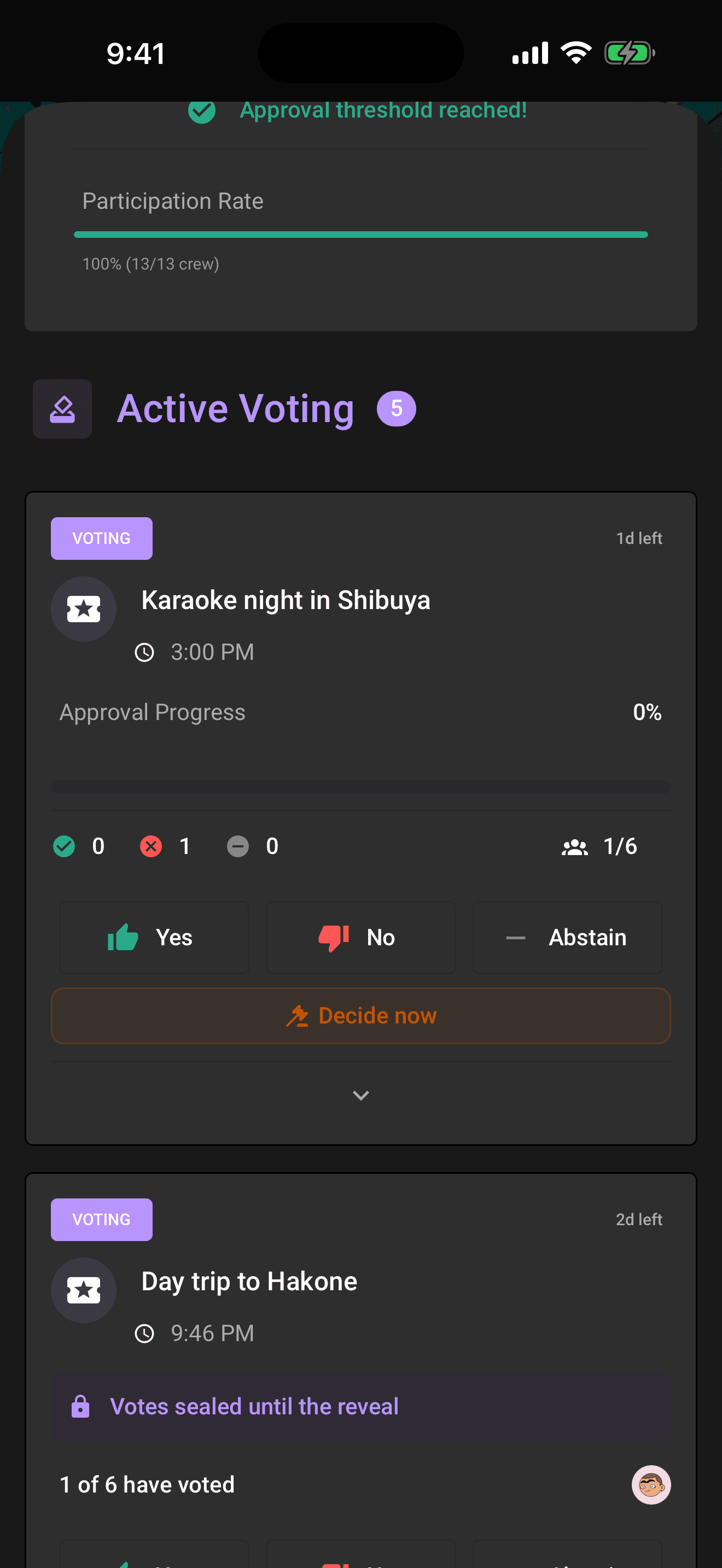
A ballot never closes early just because it's winning. Even when the yes votes have already cleared the approval threshold, Limbo holds the ballot open to the deadline so latecomers still get their say; there's no silent early close. Instead it keeps the ballot open and sends a last-call nudge to anyone who hasn't voted (more below). Sealed ballots don't even hint that the threshold was met, since that would leak which way it's leaning. See Sealed and anonymous ballots.
When a ballot does close, the verdict follows these rules:
- Yes votes reach the approval threshold → approved.
- Everyone voted but the threshold wasn't reached → rejected.
- The deadline passed without reaching the threshold → simple majority of the votes cast decides, and a tie counts as approved.
Heads up
If the trip has a minimum-participation rule and not enough people voted, the ballot won't resolve on its own; it shows as "Voting closed" until an organizer steps in. Organizers can also end any ballot early with Decide now, see Organizer powers.
Last call: reminders before the deadline
Because a winning ballot stays open to the deadline, Limbo makes sure nobody misses the window. As the clock runs down, it sends a voting reminder to anyone on the trip who hasn't voted yet, once around a day out, and again in the final few hours as a last call. Vote before the deadline and the reminders stop.
Prefer to be told the outcome rather than check back? If you're voting from a browser link, tap Email me the result and Limbo emails you the verdict the moment it closes, handy on sealed ballots, where there's no tally to watch. More on both in Reminders and result emails.
The reveal
When a ballot resolves, everyone gets the reveal:
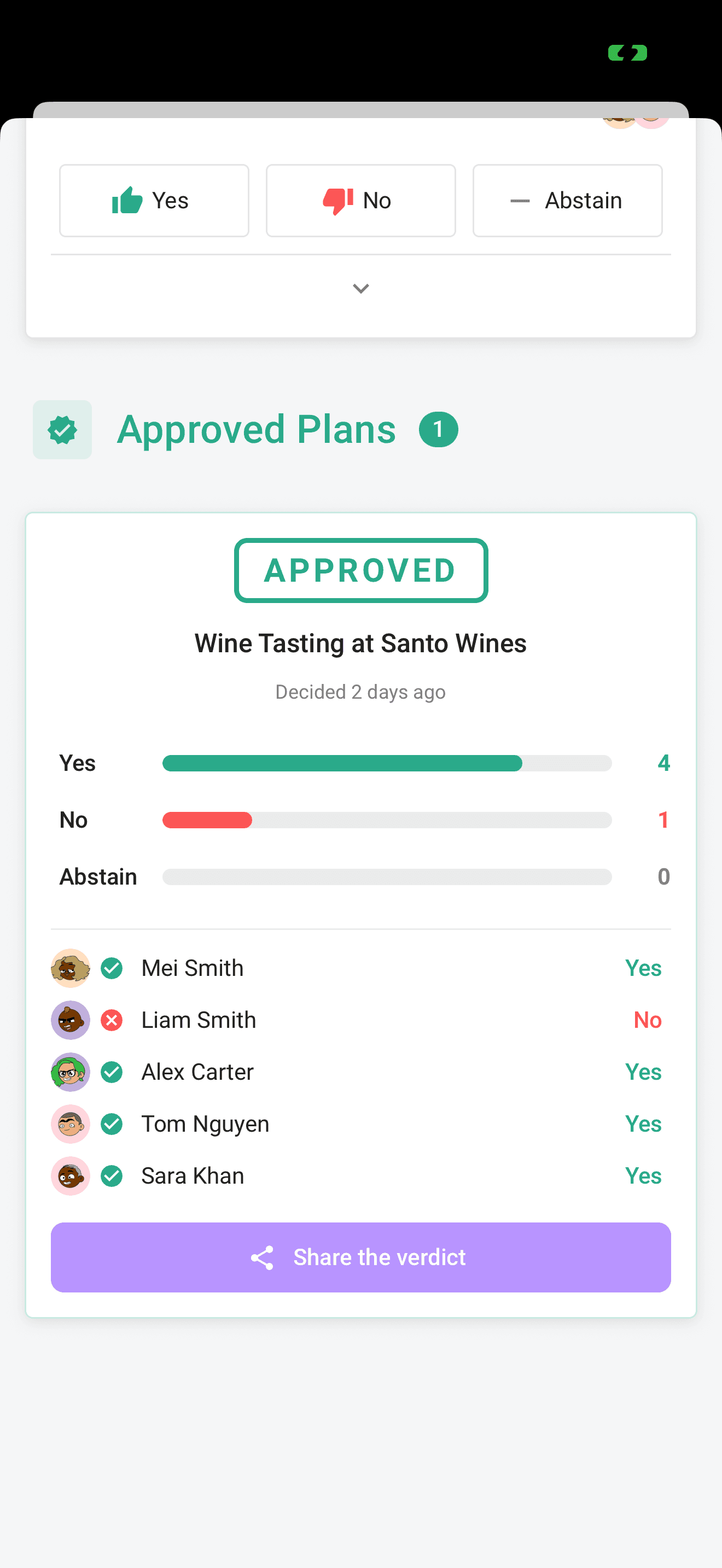
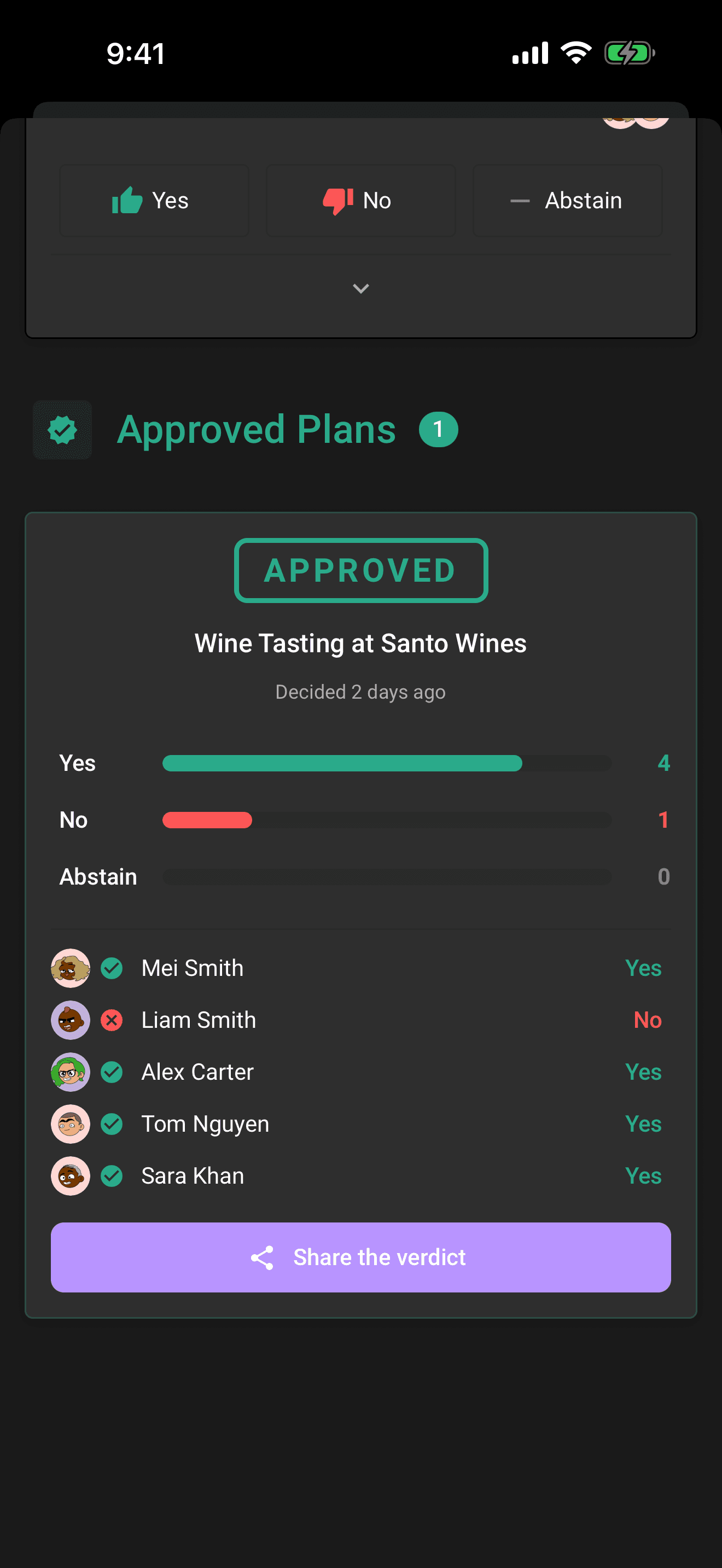
- An APPROVED or REJECTED stamp on the plan, with when it was decided.
- Animated tally bars for yes, no, and abstain.
- The voter list: who voted for what, unless the ballot was anonymous.
- A "Didn't vote" row naming the crew who sat it out. No vote, no complaints.
- A Share the verdict button, shown to organizers, that posts the result anywhere, appending a public link anyone can open in a browser, like: "Sunset Catamaran (Lisbon Crew): APPROVED 8–2, decided on Limbo".
The full walkthrough of the verdict stamp, final tally, voter rows, and sharing is in The reveal.
Related articles
Sealed and anonymous ballots
Hide the running tally until the reveal with sealed votes, or hide who voted for what with anonymous voting.
The reveal
What happens when a ballot resolves: the verdict stamp, the tally bars, who voted for what, who sat it out, and sharing the result.
Vote from a link, no app needed
Weigh in on a proposal straight from your browser with a personal link: vote yes, no, or abstain, react with an emoji, and get emailed the result.
Reminders and result emails
A last-call nudge before a ballot closes, "The verdict is in" the moment it does, and a way to get the result by email straight from a shared link.