Start a ballot on the web
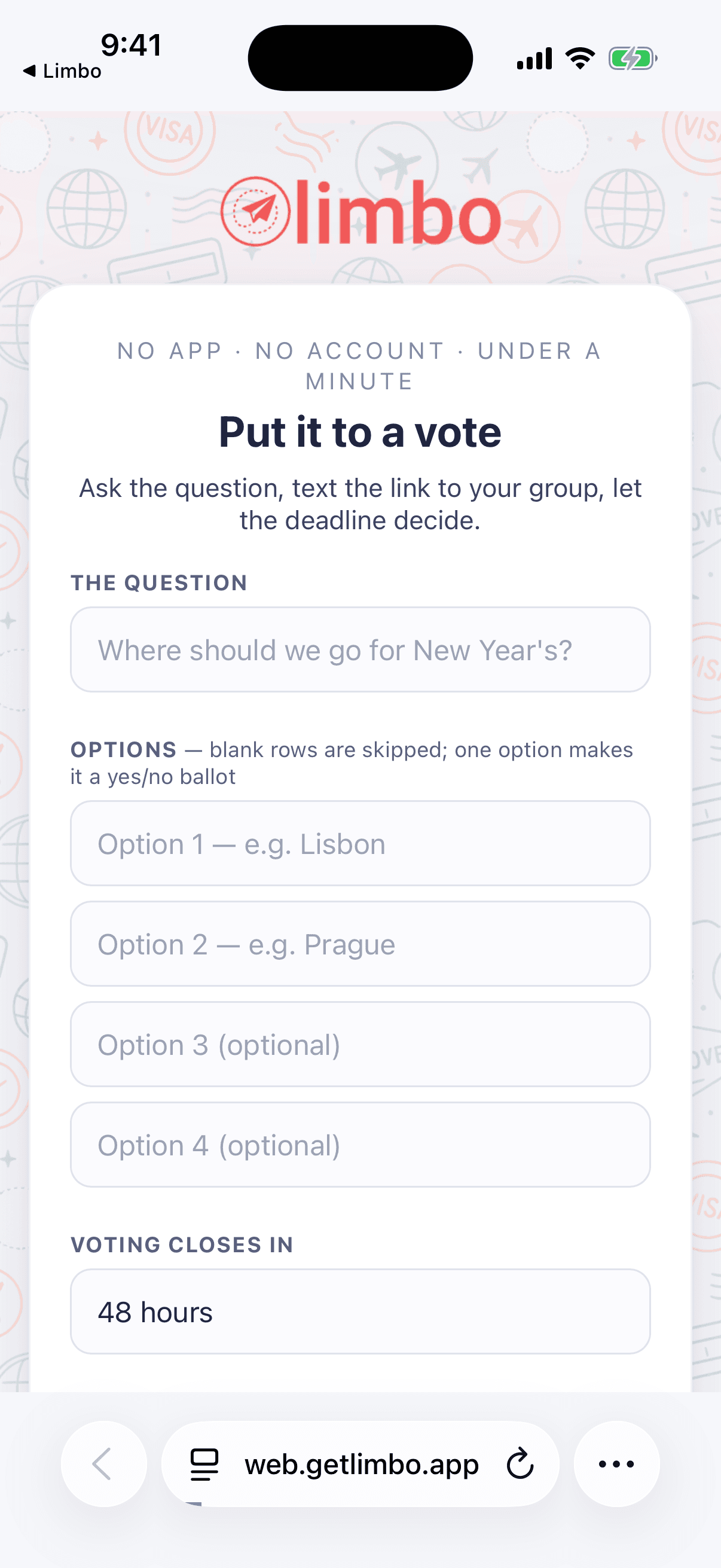
Spin up a group vote from any browser at web.getlimbo.app/new, no app, no account, share one link, and let the crew pick the winner.
Sometimes you just need a decision, which Airbnb, which night, which restaurant, and you need it before anyone gets around to installing anything. Open web.getlimbo.app/new in any browser and you have a group ballot in under a minute. No app. No account. One link does the rest.
Who can do what: anyone can start a web ballot and anyone with the link can vote, no Limbo account required on either side. You start the ballot with your name and email, and that email is how you later claim it into a real trip that you own owner.
Start one at web.getlimbo.app/new
- 1Go to web.getlimbo.app/new in any browser, phone or laptop.
- 2Give the ballot a title, the question you're settling, like "Where do we stay in Lisbon?"
- 3Add the options the crew should choose between.
- 4Set a deadline for when the vote should close.
- 5Enter your name and email: the email is where your ballot and manage link go, and how you claim it later.
- 6Tap Create the ballot to get your shareable link.
Share one link with the crew
A web ballot has a single group link, the same link for everyone. Drop it in the group chat, text it around, paste it anywhere. There's nothing to install and no invite to accept; whoever opens the link can vote.
Note
This is different from a proposal shared out of the app, where each person gets their own personal weigh-in link. A web ballot is one shared link for the whole group. See Vote from a link for the personal-link flow.
Everyone enters their name
Because there are no accounts, the ballot keeps track of who's who by name.
- 1Open the group link.
- 2Type your name: use the exact same name if you've voted before, and you'll get your own voting link back.
- 3Tap your choice. Done.
A web ballot is deliberately lightweight, so it doesn't carry the trip-level privacy controls that in-app proposals do; there's no sealed tally or anonymous mode here. Voters pick their own name, so it's an open, on-the-record vote by design. If you need sealed or anonymous voting, run the decision as a full trip in the app, see Sealed and anonymous ballots.
Winner takes most at the deadline
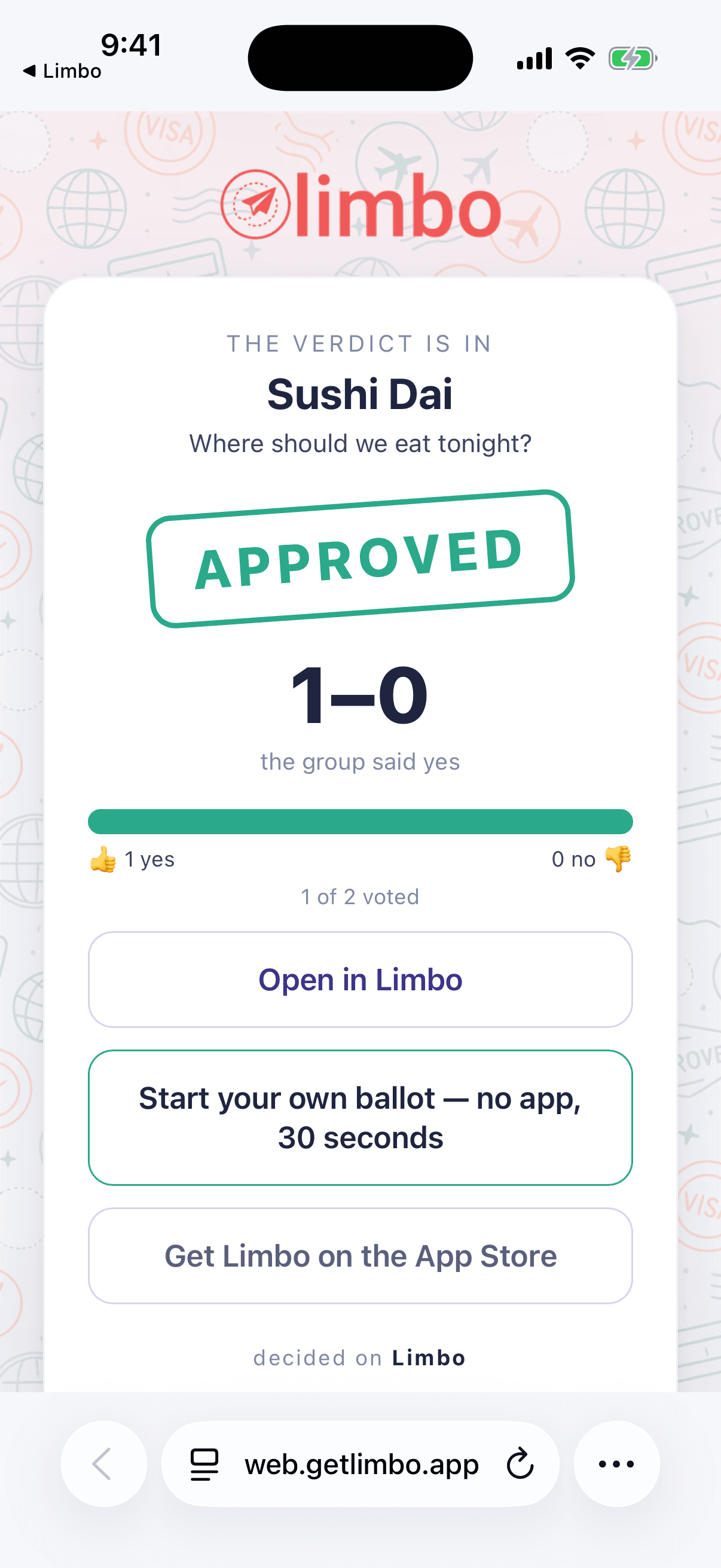
When the deadline hits, the ballot closes and the option with the most votes wins, plain and simple. Everyone who's got the link sees the same result: the winning option and how the votes fell. No thresholds to hit, no math to argue about; most votes takes it.
Claim your ballot later
A web ballot doesn't have to stay a one-off. If you started it, or voted on it, with an email address, you can pull it into the app later:
- Install Limbo and sign in with the same email you used on the web.
- The ballot (and the trip it belongs to) shows up in your account, ready to grow: add plans, split costs, run the next vote sealed.
That's the point: a quick browser decision can graduate into a real, planned trip without anyone re-entering a thing.
Tip
Use the same email everywhere. It's the thread that ties a throwaway web link back to you, so signing into the app later finds every ballot you touched.
The fine print: daily and voter caps
To keep web ballots useful and spam-free, there are a couple of sensible limits:
- A daily cap on how many new ballots one email address can start in a day.
- A voter cap on how many people can vote on a single ballot.
They're set high enough that a normal group decision never bumps into them; they're only there to stop abuse. If you're planning for a big crew or want no limits at all, run the trip in the app, where full trip proposals aren't capped this way. Learn how in-app voting works in How group voting works.
Related articles
Vote from a link, no app needed
Weigh in on a proposal straight from your browser with a personal link: vote yes, no, or abstain, react with an emoji, and get emailed the result.
How group voting works
Turn plans into proposals, vote yes, no, or abstain, and see the reveal when the ballot closes.
The reveal
What happens when a ballot resolves: the verdict stamp, the tally bars, who voted for what, who sat it out, and sharing the result.