Sealed and anonymous ballots
Hide the running tally until the reveal with sealed votes, or hide who voted for what with anonymous voting.
Group votes get weird when everyone can watch the score. Limbo has two privacy switches that keep ballots honest: sealed votes and anonymous voting. They solve different problems, and you can combine them.
Who can do what: every joined adult crew member votes on sealed and anonymous ballots exactly like any other ballot. Only the trip owner can turn these settings on or off; organizers and members will not see the privacy controls.
Sealed votes: no peeking until the reveal
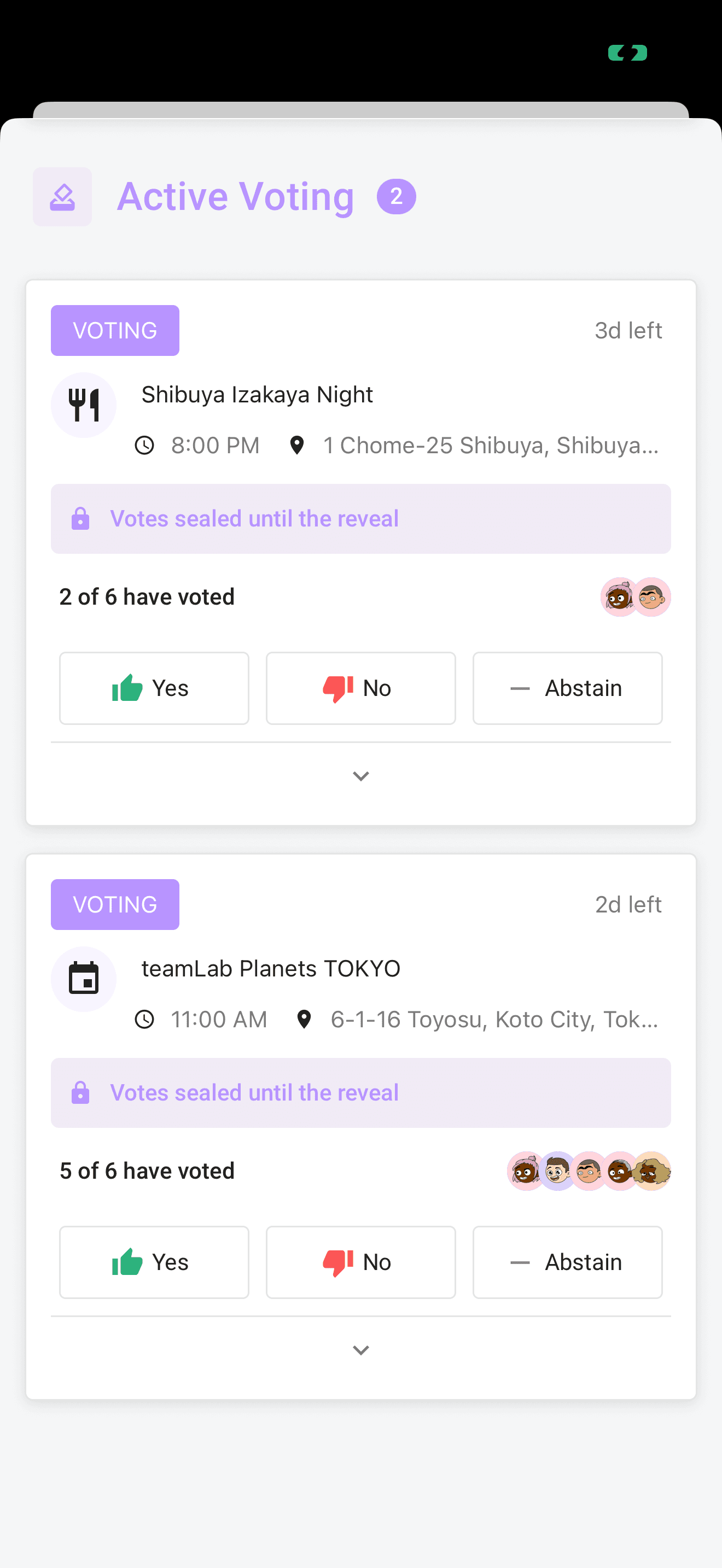
Sealed votes hide the tally while voting is open, so nobody bandwagons onto the leading option. Sealed votes are on by default: every new proposal is sealed unless the trip owner turns the setting off, so the score stays hidden until the reveal.
Places added from Discover your trip always start with sealed ballots, regardless of the trip's default for other proposals.
While a sealed ballot is open:
- Yes, no, and abstain counts are completely hidden, for everyone, including organizers.
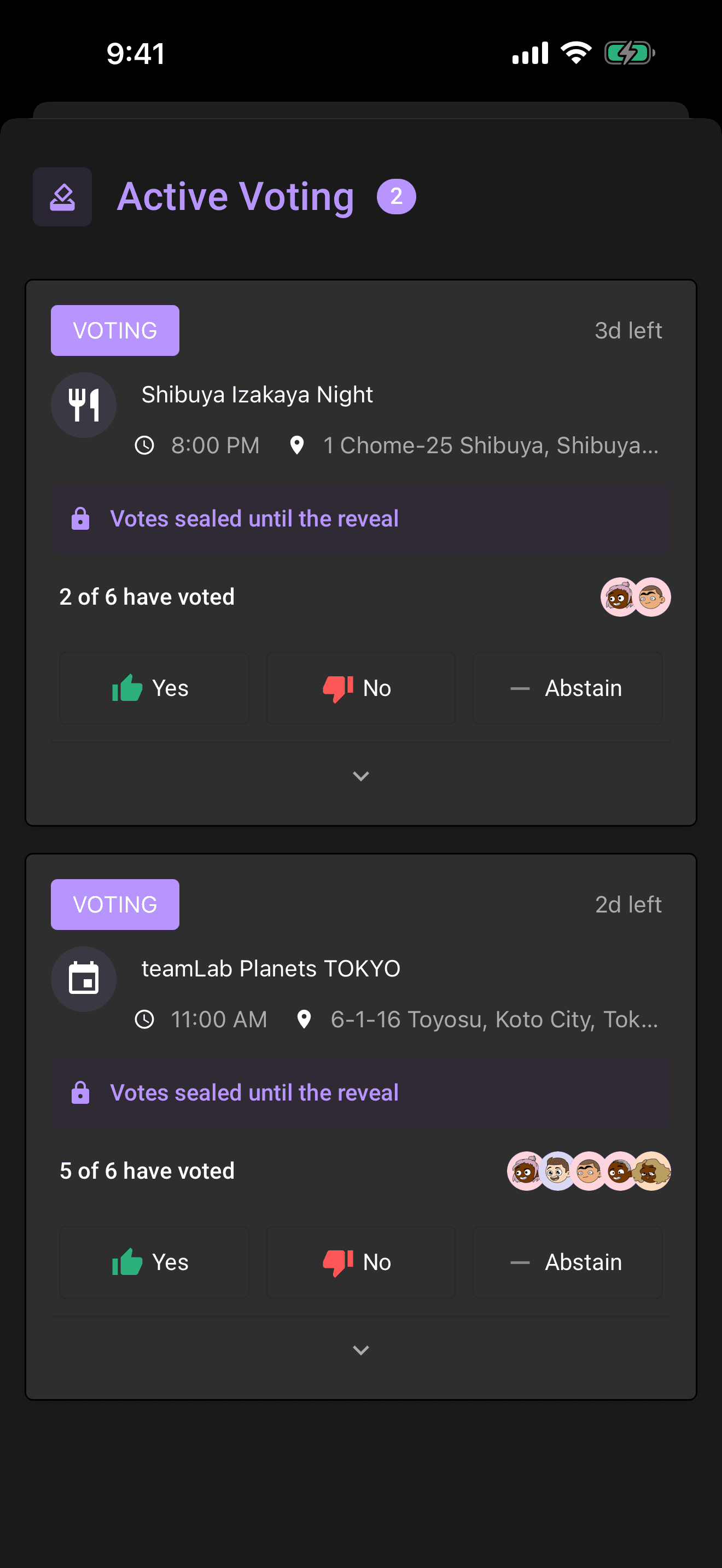
- You can see participation only: a "Votes sealed until the reveal" banner and "4 of 7 have voted" with the voters' avatars. Who has voted is visible; what they voted is not.
- Your own vote is always visible to you. The ballot shows "Your vote: Yes (only you can see this)" so you know it was counted.
Note
Sealed ballots never resolve early just because the approval threshold is reached. With one vote in, the yes share could be 100%, and ending the election there would crown the first voter. Voting closes when everyone eligible has voted or the deadline passes. If minimum participation was not met, the ballot waits for an organizer instead of revealing a verdict automatically.
When a sealed ballot resolves, the reveal shows everything at once: the verdict stamp, the full tallies, who voted for what (unless the ballot is also anonymous), and who didn't vote.
Anonymous voting: votes are not linked to names
Anonymous voting hides who voted for what, permanently. Unlike sealed votes, it's off by default, so switch it on when a decision needs to stay private. While the ballot is open and even after the reveal:
- Only the tallies are shown. There are no voter rows at all.
- The reveal card notes "Votes were anonymous, tallies only" instead of listing names and choices.
- Anonymity protects choices, not participation: Limbo still shows who has voted so far, and the reveal still lists who didn't vote.
Tip
For maximum privacy, turn on both: sealed hides the score until the deadline, anonymous makes sure nobody ever learns how you voted. Useful for "do we really want to invite Dave's plus-one" decisions.
Configuring ballot privacy
ownerOnly the trip owner can change these settings: the app hides the controls from everyone else, and the change is rejected for non-owners even if attempted another way.
- 1Open the trip, raise the section sheet from a Hub tile, and tap the Voting pill.
- 2Tap Settings (visible to the trip owner only), then Open voting settings.
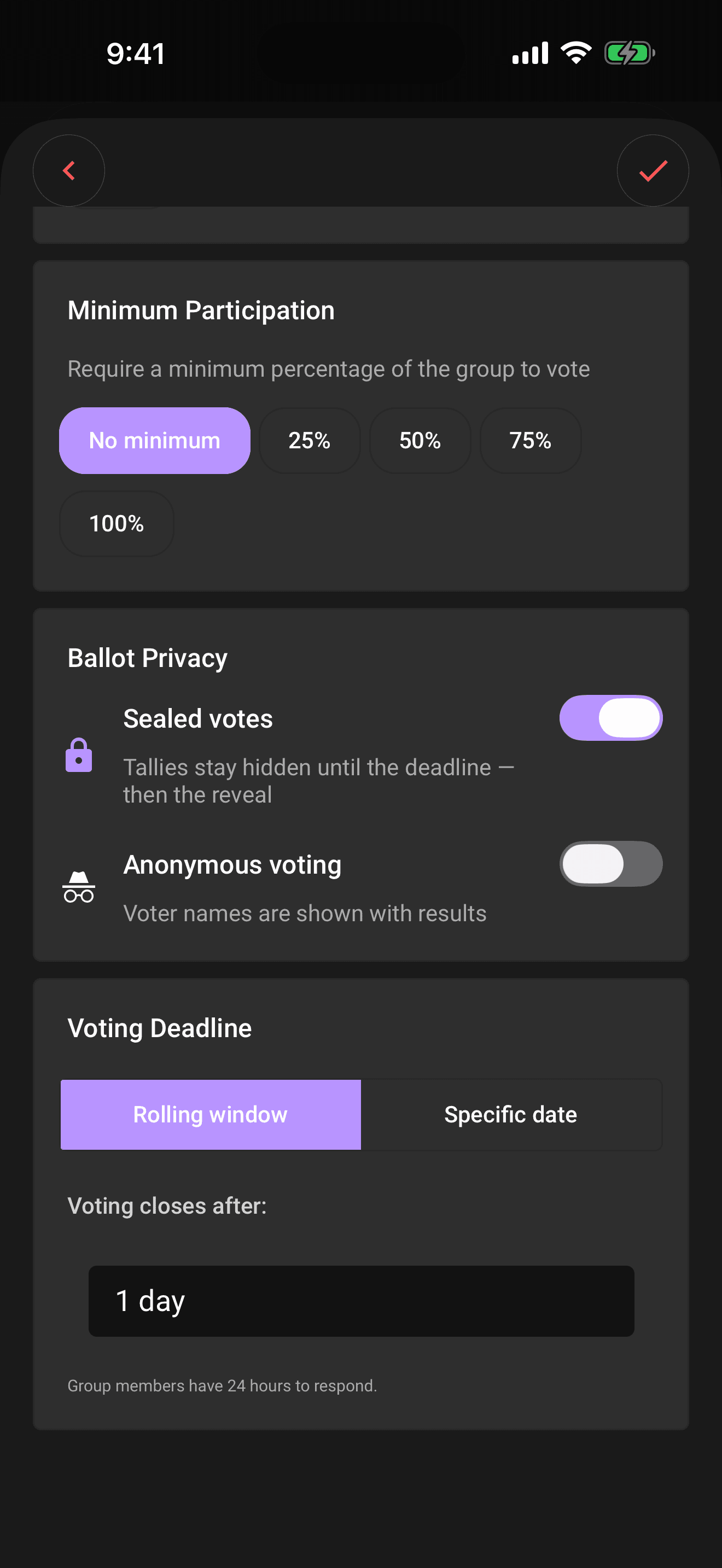
- 3Find the Ballot privacy section.
- 4Toggle Sealed votes and/or Anonymous voting.
- 5Tap the checkmark to save.
The two switches in the Ballot privacy section spell out exactly what they do:
- Sealed votes, on by default. On: "Tallies stay hidden until the deadline, then the reveal." Off: "Live tallies are visible while voting is open," so the crew watches the score fill in as they vote.
- Anonymous voting, off by default. On: "Results do not link votes to names." Off: "Voter names are shown with results."
These are trip-wide defaults: they apply to proposals going forward. If an organizer reopens a resolved ballot, it keeps the sealed setting it had before.
Heads up
One exception to sealing: an organizer can end any open ballot early with Decide now. That reveals the tally on the spot, sealed or not, and the override is recorded in the trip log. See Organizer powers.
Related articles
How group voting works
Turn plans into proposals, vote yes, no, or abstain, and see the reveal when the ballot closes.
The reveal
What happens when a ballot resolves: the verdict stamp, the tally bars, who voted for what, who sat it out, and sharing the result.
Organizer powers
Tune the voting rules, decide a ballot early, or reopen a settled vote. What organizers and the trip owner can each do.