Organizer powers
Tune the voting rules, decide a ballot early, or reopen a settled vote. What organizers and the trip owner can each do.
Most of voting runs itself, but somebody has to set the rules and break the occasional deadlock. That's the organizers' job.
Who can do what: every power on this page is organizer-gated. Regular members never see these buttons, and the change is blocked for non-organizers even if attempted another way. Decide now and Reopen voting are available to all organizers (the owner and co-organizers). The voting settings are stricter: only the trip owner can change them.
Owner vs co-organizer
Every trip has exactly one owner, the person who created it. The owner can promote crew members to co-organizer, and co-organizers get the ballot powers below. The differences:
- Owner only: change the voting settings (rules, privacy, deadlines) and enable or disable voting for the trip.
- Owner and co-organizers: Decide now on open ballots, and Reopen voting on resolved ones.
- The owner can never be demoted.
To promote or demote: edit the trip, open the Participants sheet, then use the shield icon next to a crew member. The chat crew sheet only shows who is on the trip and who already has organizer status. The full walkthrough is in Organizers and crew.
Voting settings
ownerThe Settings segment inside the trip's Voting section is visible to the trip owner only. Everyone else sees Votes without a Settings option.
- 1Open the trip, raise the section sheet from a Hub tile, and tap the Voting pill.
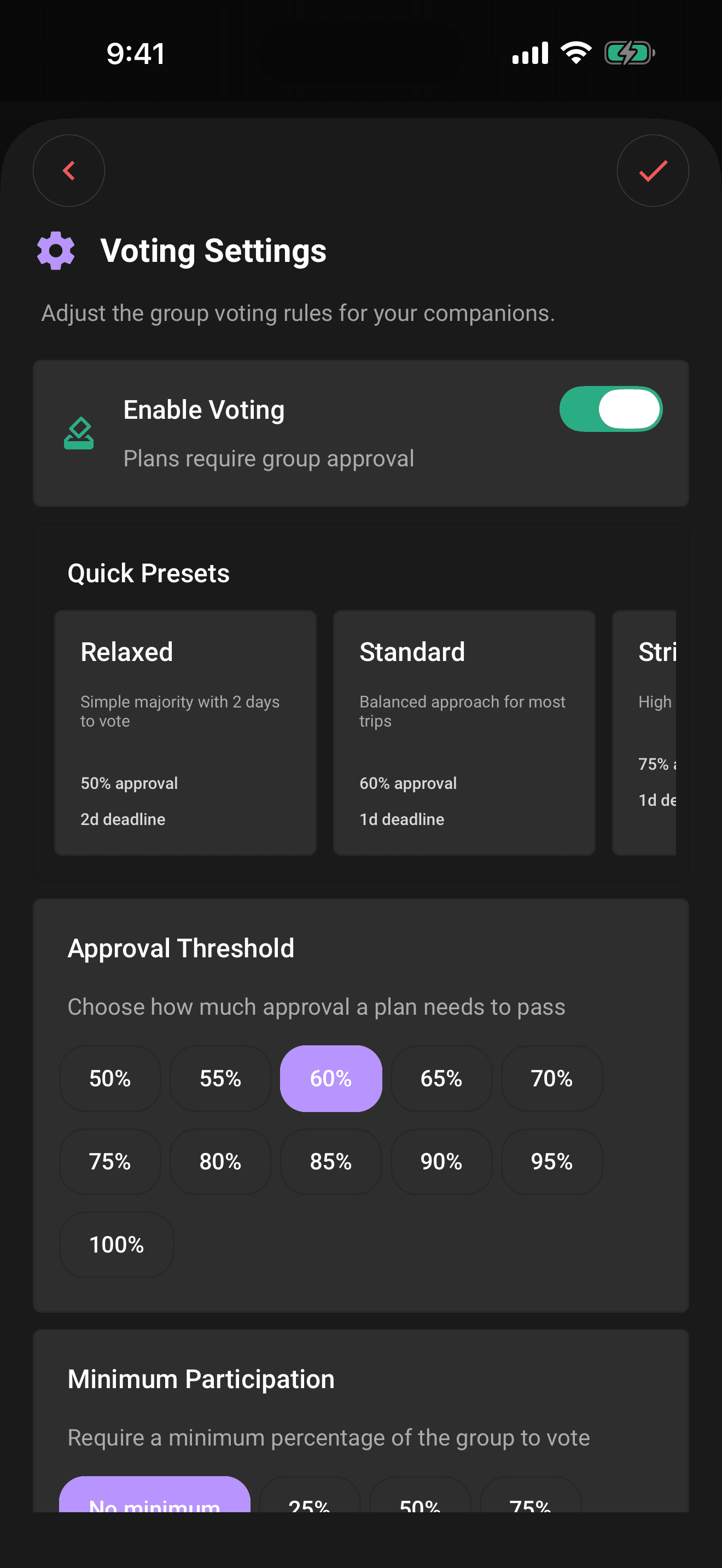
- 2Tap Settings, then Open voting settings.
- 3Use the Enable voting switch to turn voting on or off for the whole trip.
- 4Pick a quick preset, or tune the individual rules below it.
- 5Set the Ballot privacy toggles (sealed and anonymous, see the related article).
- 6Choose a deadline style and length.
- 7Tap the checkmark to save.
Presets bundle sensible rules in one tap:
| Preset | Approval threshold | Deadline | Minimum participation |
|---|---|---|---|
| Relaxed | 50% | 2 days | 25% |
| Standard | 60% | 24 hours | 50% |
| Strict | 75% | 24 hours | 75% |
| Unanimous | 100% | 12 hours | 100% |
Or set each rule yourself:
- Approval threshold: the share of yes votes a proposal needs, from 50% to 100% in 5% steps.
- Minimum participation: how much of the crew must vote before a ballot can resolve: no minimum, 25%, 50%, 75%, or 100%. If a ballot's deadline passes without hitting the minimum, it shows "Voting closed" and waits for an organizer to decide.
- Deadline: Rolling window gives each new proposal its own countdown (1–30 days from when it's proposed); Specific date gives every proposal in the trip the same fixed deadline, which must be at least an hour in the future. The date and time use the same modern selector as trip and plan forms.
Decide now
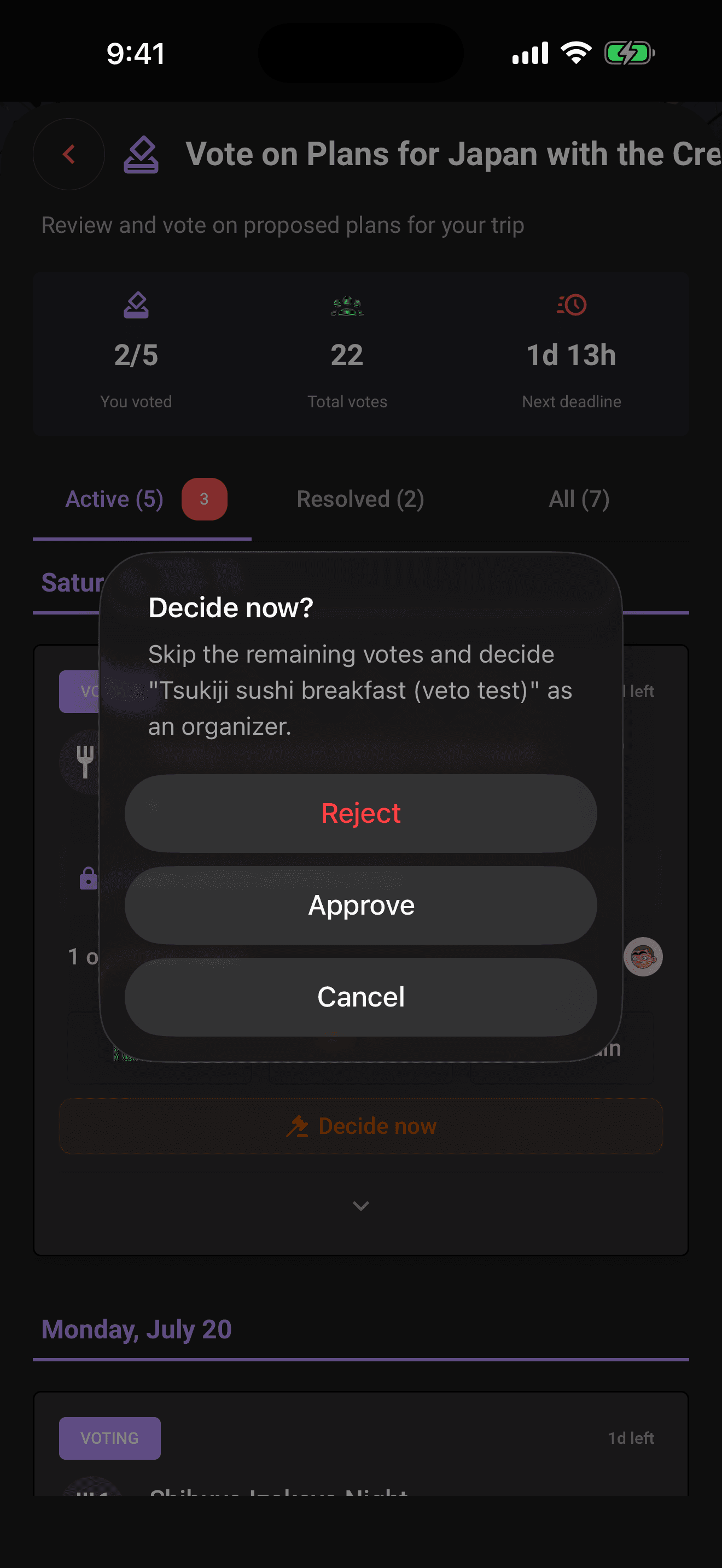
organizerSometimes the bus leaves before the deadline does. Decide now (the gavel button on any open ballot) lets an organizer end the vote on the spot.
- 1Open the trip's Voting section and stay on Votes, or open the full-screen dashboard from Home.
- 2Expand the open ballot.
- 3Tap Decide now.
- 4Choose Approve or Reject.
- 5Confirm on the second prompt. This ends the vote for everyone.
It's deliberately a two-step confirmation, because the effects are immediate:
- The ballot closes for the whole crew and the plan is approved or rejected as an organizer decision.
- The tally is revealed, including on sealed ballots.
- The override is recorded in the trip log, so everyone can see who decided and when.
Note
Decide now needs an internet connection. Overriding a live group vote isn't something Limbo queues for later.
Reopen voting
organizerA resolved ballot isn't necessarily final. If circumstances change (prices, dates, Dave), any organizer can put a settled plan back to a vote.
- 1Open the resolved ballot's reveal card under Voting → Votes, on the full-screen dashboard, or in chat.
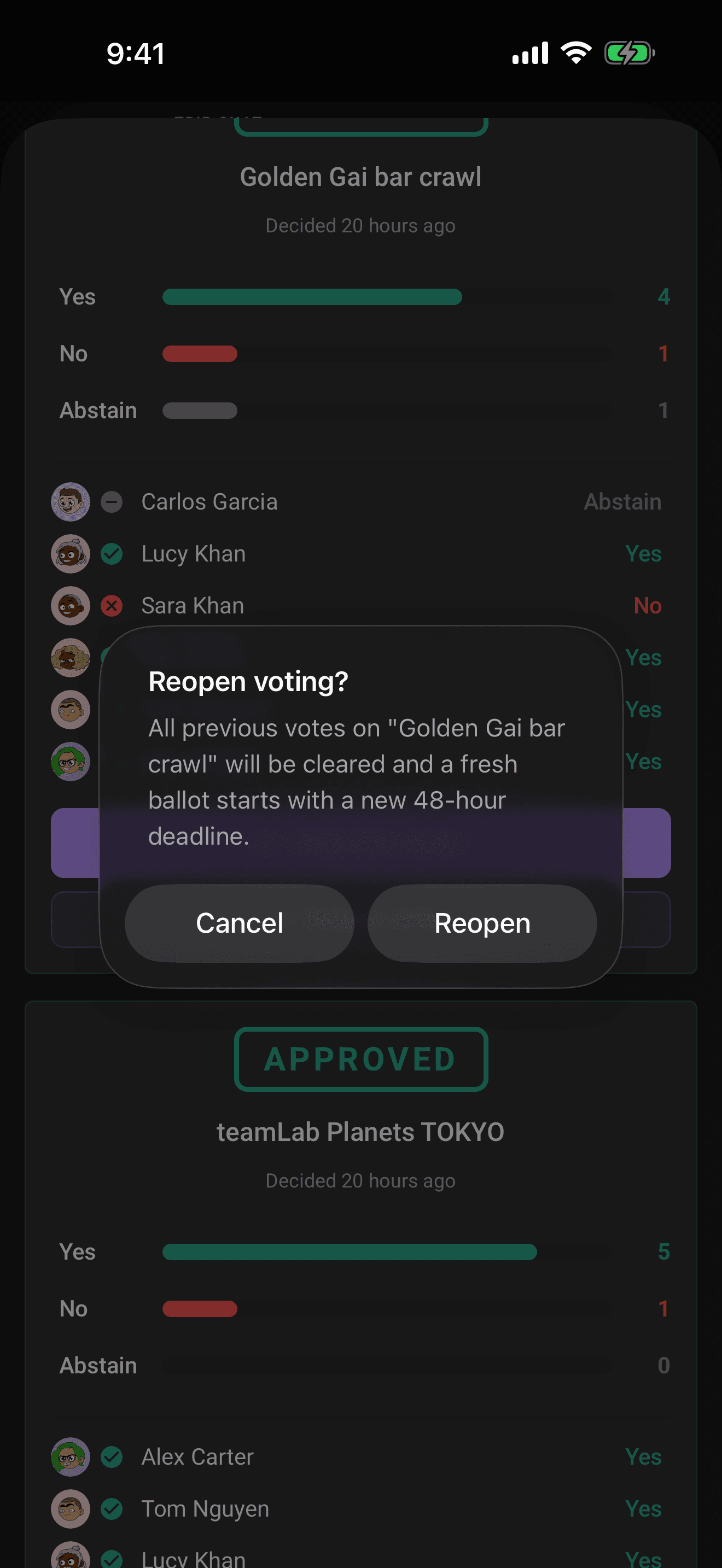
- 2Tap Reopen voting.
- 3Confirm the prompt.
What happens when you reopen:
- Every previous vote is wiped. Limbo deletes the old ballots, so the crew starts from a clean slate and the previous result no longer counts.
- The ballot reopens with a fresh 48-hour deadline, and its verdict, tally, and turnout are cleared away.
- The crew is notified that voting has reopened and asked to cast their vote before the new deadline.
- The reopen is recorded in the trip log, and the ballot keeps the sealed setting it had before.
Heads up
Reopening cannot be undone: the old votes are gone for good. Like Decide now, it needs a connection: resetting a ballot for everyone isn't something Limbo queues offline. If you only need a different outcome, Decide now may be the lighter tool.
Related articles
How group voting works
Turn plans into proposals, vote yes, no, or abstain, and see the reveal when the ballot closes.
Sealed and anonymous ballots
Hide the running tally until the reveal with sealed votes, or hide who voted for what with anonymous voting.
Organizers and your crew
What owners and co-organizers can do, how to promote or demote organizers, and how the crew list in Settings works.