Turn a chat poll into a decision
Once a group-chat poll has a clear winner, make it official by adding it to the itinerary, and know when a quick poll is enough versus when to run a real ballot.
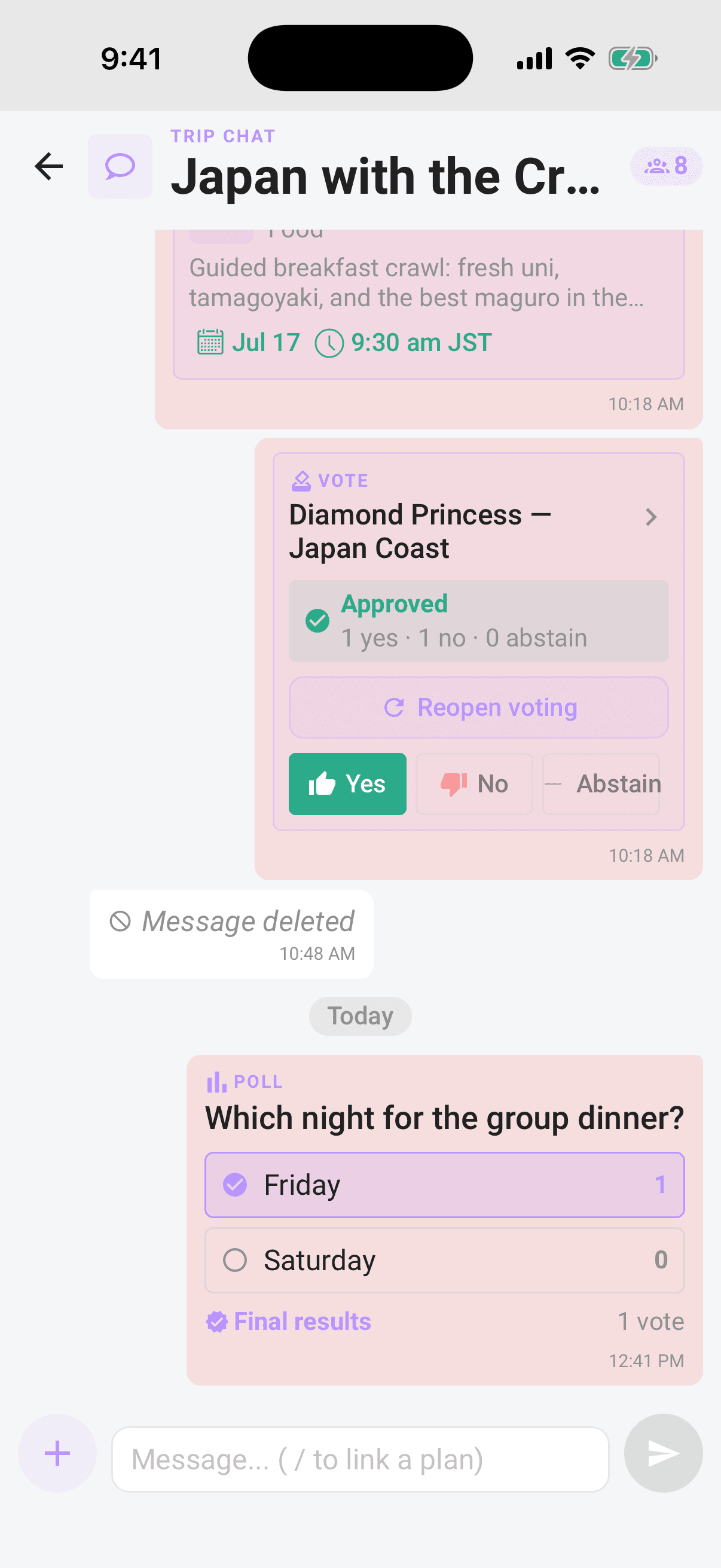
A poll is the fastest way to settle a small question in chat: "which night is the group dinner?" But a poll result is still just a message. To make it real, turn the winning option into a plan so it lands on the itinerary where the whole crew can see it.
Who can do what: anyone on the trip can create a poll and vote in one, and only the poll's creator can close it. member Adding the winning option as a plan needs edit permission: trip organizers, and crew the owner has given it. organizer
From poll to plan
- 1When the votes are in, close the poll: long-press it and choose Close poll, then confirm. The bars freeze and the poll gets a Final results badge, so the winner is settled. (Only the poll's creator can close it.)
- 2Note the winning option.
- 3Add it as a plan: open the trip, tap the add button, pick the right plan type, and fill in the details. The full walkthrough is in Add a plan.
- 4Save it. On a trip without voting, the plan lands on the itinerary right away, already decided.
Note
A poll and a plan are two different things. Closing a poll freezes the chat result; adding the plan is what actually puts the decision on your itinerary, and rolls any cost into the Budget. Do both and the call is locked in.
When a quick poll is enough
Reach for the poll-then-plan route when the decision is low-drama and the crew already broadly agrees:
- Small, reversible calls: the breakfast spot, which evening for dinner, aisle or window.
- Logistics and availability: "which dates work?" The Availability poll preset is built for exactly this (see Photos and polls).
- The crew's already nodding along: you just need a quick show of hands, not a formal process.
- Trips that aren't run on ballots: if voting is switched off for the trip, plans are added instantly, so a poll is your lightweight way to decide together.
When to run a real ballot instead
Some decisions deserve the full process: the trip's voting rules, a deadline, and a result on the record. Put the plan on a real ballot instead of a poll when:
- It should follow the trip's voting rules: an approval threshold and a minimum-participation requirement, not just a majority of whoever happened to tap.
- You want a deadline that resolves itself: the ballot closes and calls the verdict on its own; see How group voting works.
- Nobody should bandwagon: sealed votes hide the tally until the reveal, so early votes don't sway the rest.
- The result should be shareable and on the record: the reveal stamps APPROVED or REJECTED on the plan, names who voted, and gives you a Share the verdict button.
- It's a money or commitment call: the bigger the stakes, the more a proper ballot beats a quick poll.
To start one, link the plan into chat and it becomes a live ballot the whole crew can vote on; see Link plans and vote in chat.
If your trip already runs on ballots
When voting is switched on for the trip, adding a plan doesn't land it instantly, it opens as a proposal on a ballot automatically. On those trips, treat a chat poll as a quick temperature check before the real vote: gauge the room with a poll, then propose the plan so the crew's decision is official and on the record. (An organizer can also end a runaway ballot early with Decide now; see Organizer powers.)
Tip
Rule of thumb: a poll settles the chatter, a ballot makes the commitment. Use the poll to find the answer fast, then decide how official it needs to be.
Related articles
Photos and polls
Share photos from your library, view them full screen, and run quick polls, including date polls, then vote, allow multiple answers, and close for final results.
Link plans and vote in chat
Drop a plan into the conversation with "/", turn chat ideas into proposed plans, open details without leaving chat, and vote on live ballots in the stream.
How group voting works
Turn plans into proposals, vote yes, no, or abstain, and see the reveal when the ballot closes.